Compare focused email finding with the full workflow.
Last reviewed: 26 August 2026. Skrapp and A2ZLeadZ both support business-email discovery, but their scope is different. Skrapp is an email-finding and verification specialist with LinkedIn-assisted workflows. A2ZLeadZ combines email finding with website extraction, enrichment, outreach and additional marketing tools.
Choose Skrapp when LinkedIn-based prospecting, focused email discovery and a credit policy tied to deliverable results match your process. Choose A2ZLeadZ when your team needs several lead sources and wants to continue from discovery into sequences and website conversion.
Use your real market to compare coverage, verification and workflow time.
A2ZLeadZ vs Skrapp at a glance
| Area | A2ZLeadZ | Skrapp |
|---|---|---|
| Focus | Broad lead-generation and marketing toolkit | Email finding, verification and LinkedIn-assisted prospecting |
| Inputs | Name/company, CSV, websites, social criteria, domains and new businesses | Name/domain, LinkedIn, Sales Navigator, Recruiter and lead search |
| Verification | Dedicated verification tool and API | Finder results include verification status; separate verifier included |
| Outreach | Email sequences with connected mailboxes | Exports and CRM sync; broader sending workflow may require another tool |
| Team access | Pro lists unlimited users | Published plans include defined user counts and shared credit pools |
What Skrapp does well
Skrapp focuses on finding and verifying professional email addresses. Its current product and plan pages list an Email Finder, Email Verifier, LinkedIn Basic integration, Sales Navigator and Recruiter workflows, company websites, lead search, list exports, CRM sync and AI enrichment on qualifying plans.
The model is especially relevant when a team already uses LinkedIn to identify prospects and wants to enrich those profiles with professional emails. Skrapp says it charges a credit when the finder returns an address marked Valid or Catch-all, or when an address is verified; Invalid and Unknown results are not charged.
Current Skrapp pricing
The official Skrapp pricing page currently lists a Free plan with 50 credits and one user. Professional starts with 2,000 monthly credits and two users, shown at $39 per month or $29 per month with annual billing. Enterprise starts at 50,000 monthly credits and includes 15 users, API access, SSO and additional support at the published entry configuration.
Credit volume, user count and the status charged all affect real cost. Check whether Catch-all results are suitable for your sending policy before treating every charged result as campaign-ready.
Where A2ZLeadZ is broader
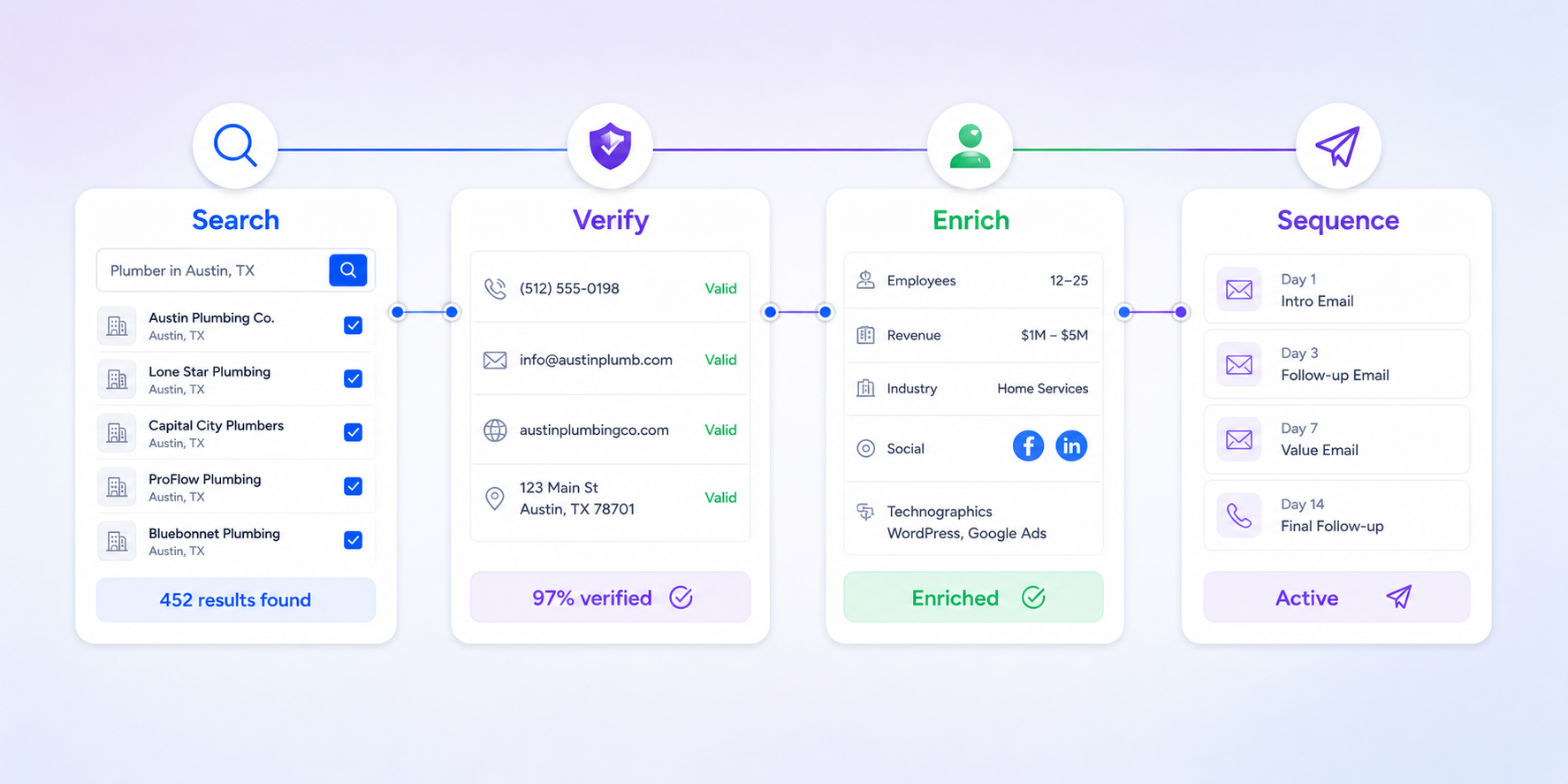
A2ZLeadZ supports the familiar name-and-company email finder workflow, then adds other ways to build a list. The website extractor collects public business emails, phone numbers and social links from target sites. Company/domain enrichment, social prospecting and new-business discovery add further inputs.
After discovery, teams can use email verification and email sequences. Chatbot, social-proof, review-management and content tools extend the workflow beyond outbound prospecting. Skrapp remains the more focused choice when LinkedIn-assisted email finding is the main job.
See our best email finder tools benchmark, Voila Norbert alternative and full comparison hub for more options.
Choose A2ZLeadZ when
- You need to work from websites, domains, CSV files and several discovery sources.
- You want a connected path from finding to verification and outreach.
- Unlimited-user Pro pricing is valuable to an agency or small team.
- You also want content and website-conversion tools.
- LinkedIn is only one of several prospecting inputs.
Choose Skrapp when
- LinkedIn, Sales Navigator or Recruiter is central to list building.
- You want a specialist email finder and verifier with clear status-based credit rules.
- Two included users and the selected credit volume fit the Professional plan.
- You prefer a focused interface over a broader multi-product suite.
Benchmark finder quality correctly
Use the same 100 names and company domains in both tools. Record Found, Valid, Catch-all, Unknown, Invalid and No Result separately. Manually check role and employer accuracy, then run the sendable segment through one verification standard. The most useful metric is cost per relevant, verified address—not raw match rate.
Migration checklist
- Export permitted lists with source and verification status.
- Keep suppression lists and previous opt-outs intact.
- Recheck Catch-all records according to your risk policy.
- Map names, domains, roles and source URLs before importing.
- Test one small sequence and monitor bounce and reply quality.
Frequently asked questions
Does Skrapp have a free plan?
Yes. Its current pricing page lists 50 credits and one user on the Free plan.
Does Skrapp charge for invalid results?
Skrapp’s current pricing FAQ says Invalid and Unknown email results are not charged. Valid and Catch-all finder results, and verification actions, consume credits.
Which tool is better for LinkedIn prospecting?
Skrapp is more specialised around LinkedIn, Sales Navigator and Recruiter-assisted email workflows. A2ZLeadZ is broader across multiple source types.
Which tool includes email sequences?
A2ZLeadZ includes an Email Sequences product. Confirm the sender-account requirements and test with a small segment before scaling.
A2ZLeadZ is not affiliated with Skrapp. Product names belong to their respective owners. Verify current plan details before purchasing.
Test A2ZLeadZ with your own market
Use a representative sample, complete the full workflow and compare usable results before committing.