This guide covers A2ZLeadZ, Hunter, Apollo, Snov.io and Voila Norbert. The best choice is the one that returns relevant, technically valid contacts in your market at a sustainable cost. Test each shortlisted platform with the same sample; features and pricing can change. You can also explore the full B2B tool comparison hub.
Best email finder tools: quick comparison
| Tool | Best for | Key strength |
|---|---|---|
| A2ZLeadZ | Agencies and small teams wanting several lead sources | Email finding plus extraction, verification, enrichment, outreach and website tools |
| Hunter | Email-first prospecting | Focused finding, domain search, source visibility and verification workflow |
| Apollo | Sales teams needing deep B2B data | Large contact database, advanced filters, intent and multichannel engagement |
| Snov.io | Teams combining prospecting and multichannel automation | Email finding, verification, infrastructure, email and LinkedIn workflows |
| Voila Norbert | Simple name-and-domain lookups | Straightforward finder, verification, enrichment and integrations |
1. A2ZLeadZ: best broad toolkit for agencies and small teams
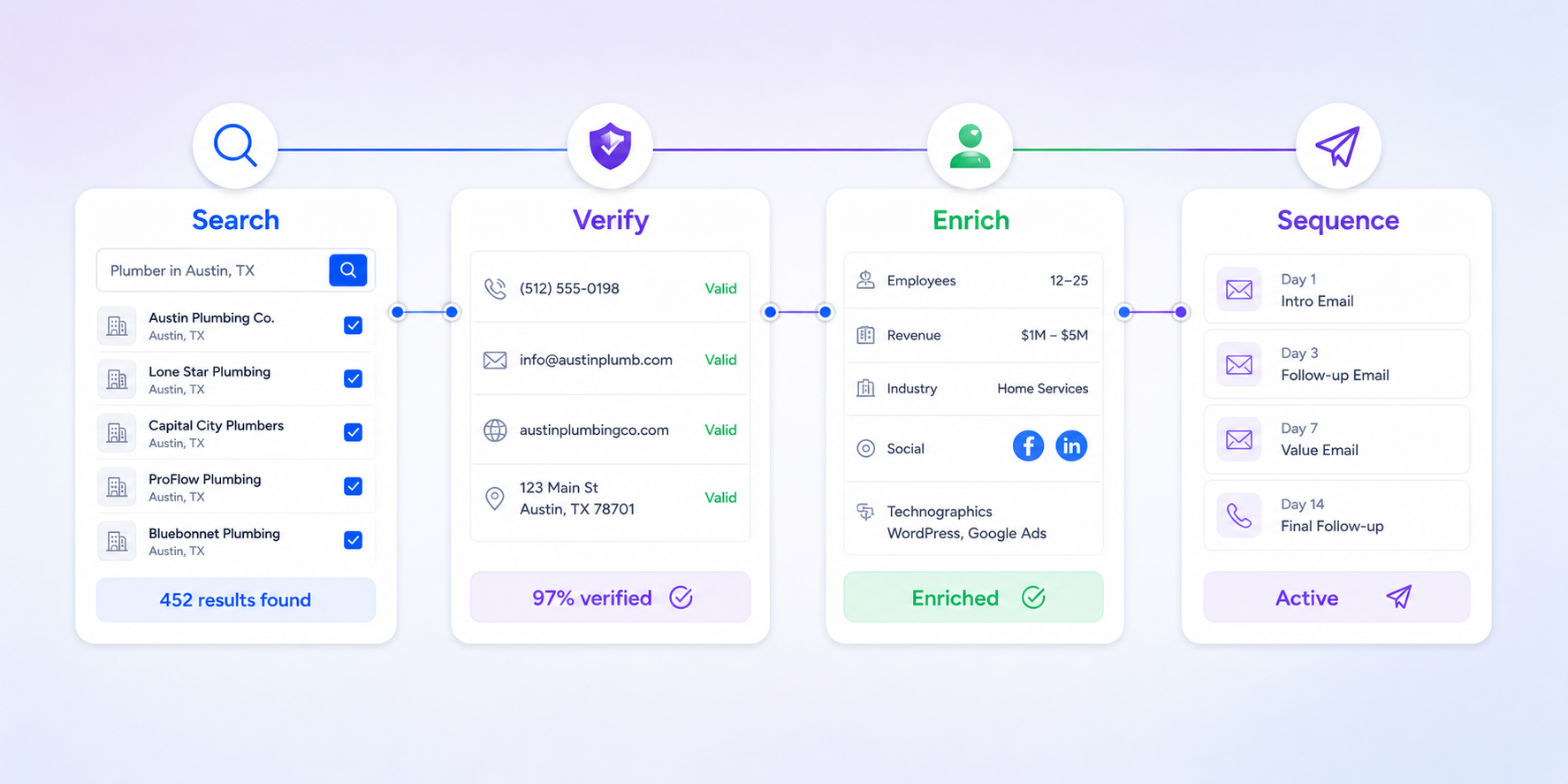
A2ZLeadZ combines a name-and-company Email Finder with website extraction, email verification, enrichment, social prospecting, new-business leads and email sequences. It also includes website conversion tools such as chatbots, social proof and review management.
Best when: your team begins with different source lists and wants to reduce the number of subscriptions in its workflow.
Consider another option when: you require Apollo-level database depth, phone data, advanced buyer intent or a particular enterprise CRM integration.
2. Hunter: best focused email-first workflow
Hunter offers Email Finder, Domain Search, Discover, verification, bulk processing, API access and sequences. Its current pricing page lists a free plan with monthly credits and access to core finding, verification and outreach features.
Best when: professional email discovery, source transparency and verification are the centre of your workflow.
Consider another option when: you want more website-marketing tools or several alternative ways to discover target businesses.
3. Apollo: best for sales intelligence depth
Apollo’s current search product page advertises more than 240 million verified contacts and 65+ precision filters, alongside enrichment, intent signals, sequences, calls and CRM integrations.
Best when: a sales team needs rich filtering, phone data, scoring, CRM synchronisation and multichannel engagement.
Consider another option when: you want a simpler email-finding workflow or flat pricing for a multi-user team. Read our balanced Apollo alternative comparison.
4. Snov.io: best for combined outreach infrastructure
Snov.io combines lead discovery, email verification, warm-up, email campaigns, LinkedIn automation and CRM functions. Its current pricing page separates credits, recipients and plan features.
Best when: you want prospecting and outreach infrastructure inside one multichannel platform.
Consider another option when: your team needs only occasional email lookups or prefers a lighter set of tools.
5. Voila Norbert: best for straightforward contact lookup
Voila Norbert focuses on finding a professional email from a name and company domain. Its current product page also lists verification, enrichment, bulk actions, API access and integrations.
Best when: you value a simple, focused name-and-domain workflow.
Consider another option when: you need advanced company discovery, intent signals or an end-to-end lead-generation suite.
How to choose an email finder
1. Test your real ideal customer profile
Results vary by country, industry, company size and role. Test at least 100 representative contacts rather than relying on a headline accuracy rate.
2. Measure usable results
Track match rate, independent verification status, role relevance, duplicates and cost per usable contact. A low-cost result is not valuable if it belongs to the wrong person or is unsafe to send.
3. Check bulk and API requirements
Confirm file formats, row limits, API rate limits, credit rules, duplicate-request policies and export fields before committing.
4. Review the complete workflow
List the tools required after discovery: verification, enrichment, CRM handoff, sequencing, suppression and reporting. A broader platform may reduce handoffs; a specialist may offer deeper control.
5. Check compliance controls
Look for source transparency, opt-out handling, suppression lists, data-removal processes and clear responsible-use terms. Public availability does not automatically create consent to contact someone. Australian senders should review the ACMA’s current spam guidance.
A practical 100-contact benchmark
- Select contacts across the roles and regions you normally target.
- Use identical input data in every tool.
- Record found, not found, valid, risky, catch-all and duplicate results.
- Manually check a sample for current role and company accuracy.
- Calculate cost per relevant, verified result.
- Time the path from raw list to campaign-ready export.
Frequently asked questions
What is the best free email finder?
Several tools provide free plans or trials, but limits differ. Use the free allowance to test your own contact sample and judge match rate and quality before upgrading.
Should I verify emails after finding them?
Yes. Verification reduces avoidable bounces, but it does not guarantee delivery, relevance or permission to contact the recipient. See our email verification guide for a practical workflow.
Is an email finder the same as a lead database?
No. A finder often starts with a known name and company. A database helps discover unknown prospects using filters. Some platforms combine both approaches.
Test A2ZLeadZ free
Use the same representative list you test elsewhere, then compare usable results and total workflow cost.
Start your free A2ZLeadZ trial or review A2ZLeadZ pricing.